
STEP 1
Connect
Join the venue's Wi-Fi network.


Every Screen. Your Sound. Your Choice. Give guests, gym members and waiting room visitors the freedom to listen to available TV audio on their own smartphones and headphones—without changing the sound throughout your facility.
Free AudioFetch App — No Subscription Required for Guests.
Customers simply download the free AudioFetch app, connect to your venue’s Wi-Fi, and listen to their preferred TV audio through their own earbuds or headphones.
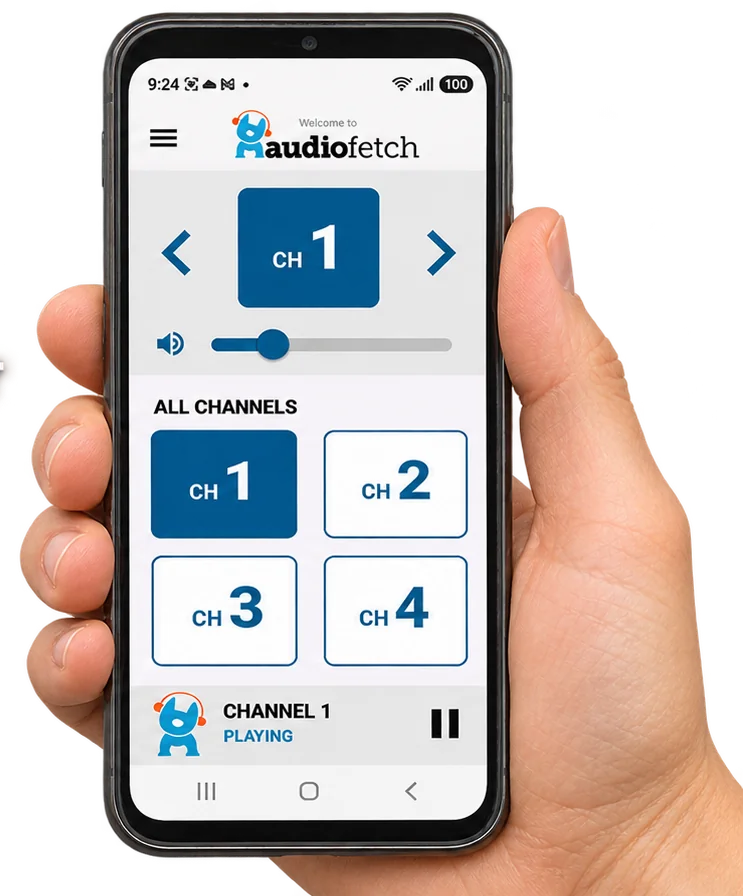
Your customers come to watch their teams, but your overhead speakers can only play so much. With AudioFetch, guests can choose from the audio sources you make available and listen privately on their phones.
One table can follow the baseball game while another listens to football—without arguing over which game gets the house sound.
AudioFetch is ideal for sports bars and restaurants that want to make every seat a better seat.
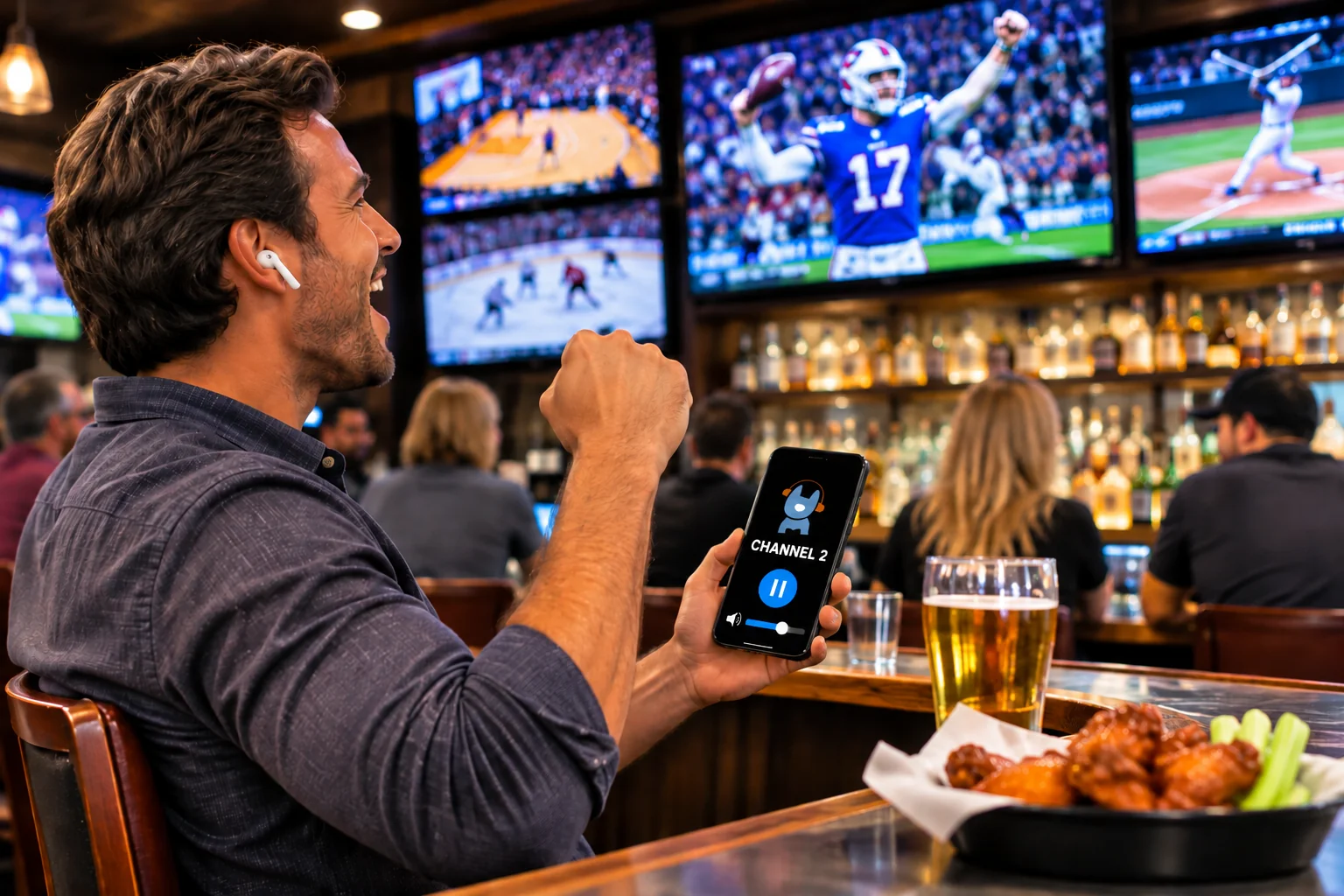
Three simple steps. Your TV audio, right on your phone.
Join the venue's Wi-Fi network.
Download and open the free AudioFetch app on your smartphone.
Select your channel and enjoy with earbuds.
No need to replace your TVs or install an entirely new AV system.
Existing or dedicated, with adequate coverage and capacity.
TVs, receivers, or other equipment with compatible audio outputs.
Connect each desired audio source to an AudioFetch input.
Run one Ethernet cable from AudioFetch to your network switch or router.
Actual installation may require adapters, network configuration, or additional equipment depending on the facility.

The AudioFetch app puts available TV audio channels at your customers' fingertips. Instead of asking staff to change the house audio, guests select the game they want to hear.
AudioFetch is designed for low-latency listening, helping keep the sound closely aligned with the action on screen. Actual performance depends on the network and system setup.
More ways to make your screens useful—and your customers comfortable.
Let different guests listen to different available TV audio feeds without changing your overhead sound.
Configure the number of available channels around your TVs, sources, and venue requirements. We'll help identify the right equipment.
AudioFetch equipment has been offered with analog, optical, and digital coaxial audio input options. We'll confirm compatibility for your proposed system.
Use a properly configured wireless network to deliver audio to guests' phones. Network capacity and coverage matter.
AudioFetch hardware can be located with your AV equipment or near audio sources, depending on your installation.
Supported app configurations can display venue messages and specials—giving customers another way to discover what's happening at your location.
Add personal TV audio listening to your existing venue without replacing your current AV control equipment.
Pair AudioFetch with Cinemar's centralized TV control and AV Matrix solutions. Depending on the configuration, additional AudioFetch functions may also be accessible from the Cinemar touchscreen.
Integration is tailored to each venue—we'll confirm exactly which functions are available for your system.

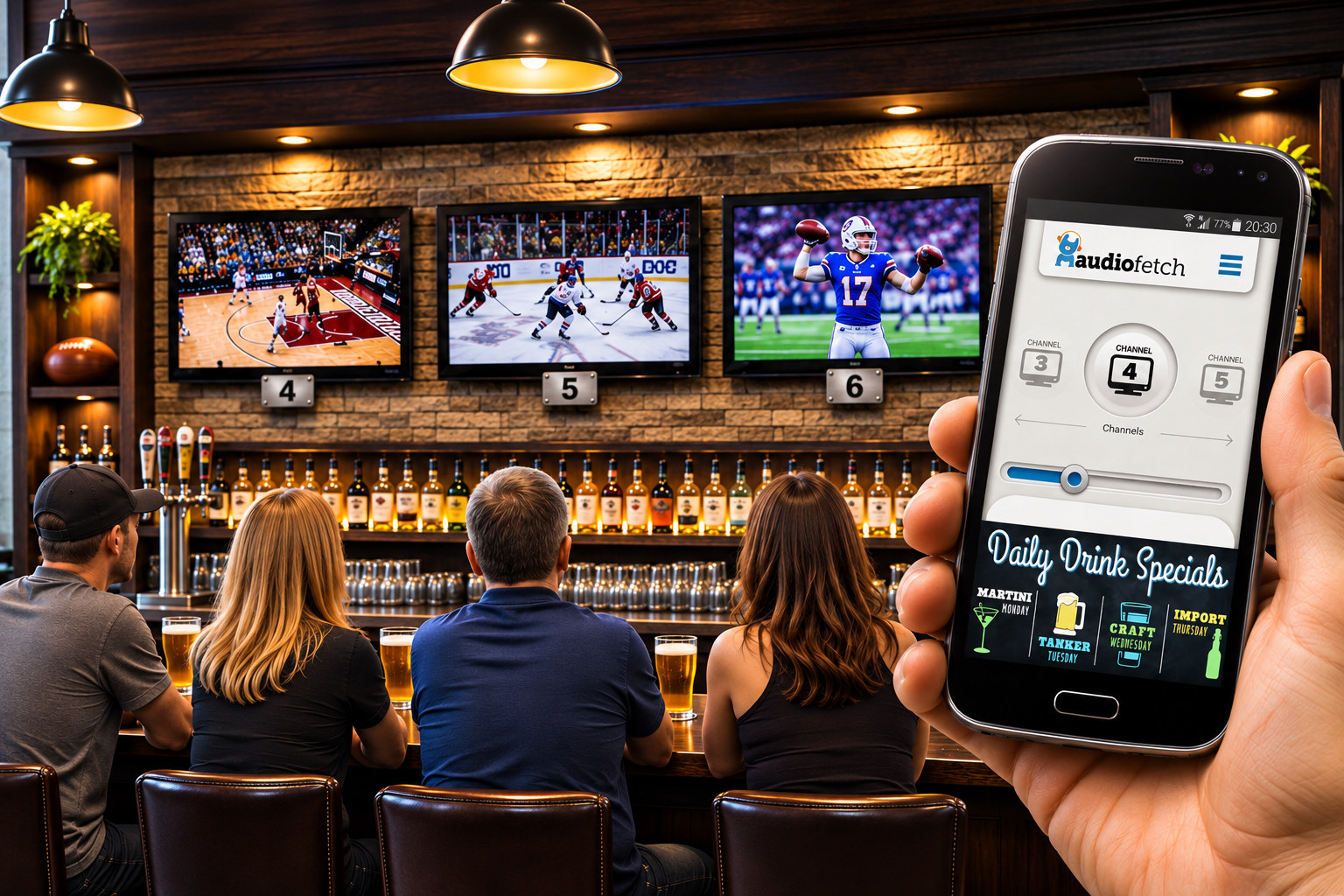
Clear channel identification helps guests match the game on a TV with the corresponding audio feed in the app. The available channel list is configured for your installation.
AudioFetch has offered customizable in-app promotional space for food specials, drink features, and customer messages. We can verify which promotional options are supported by the current app and hardware before quoting.
A practical standalone listening upgrade for gyms, sports venues and shared waiting areas.
With multiple games on the TVs, there is no single soundtrack that makes everyone happy. AudioFetch lets guests choose the game they want to hear through their own phones.
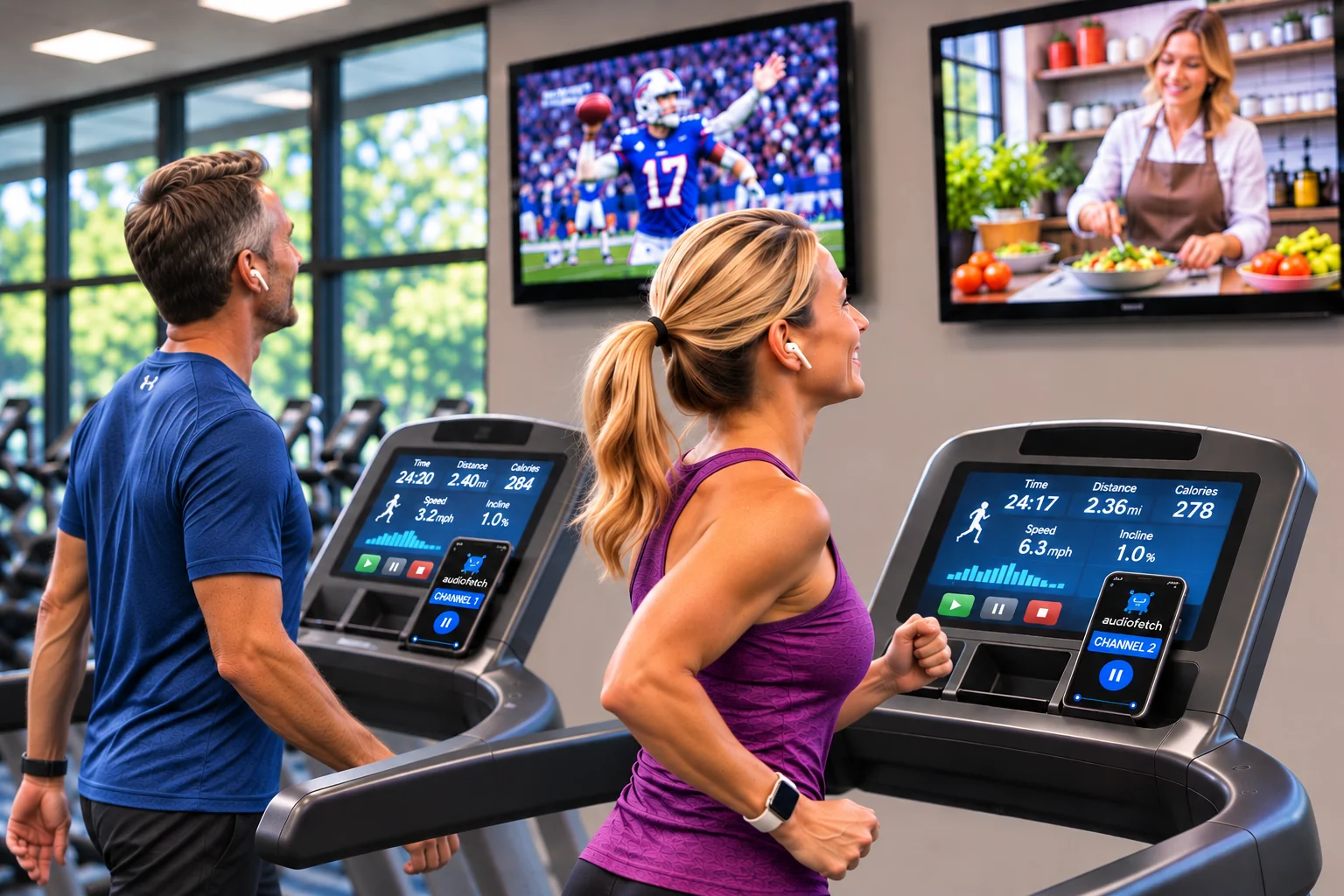
Members on treadmills, ellipticals and other cardio equipment can choose the audio from an available TV without competing with the gym's music or asking staff to change channels.
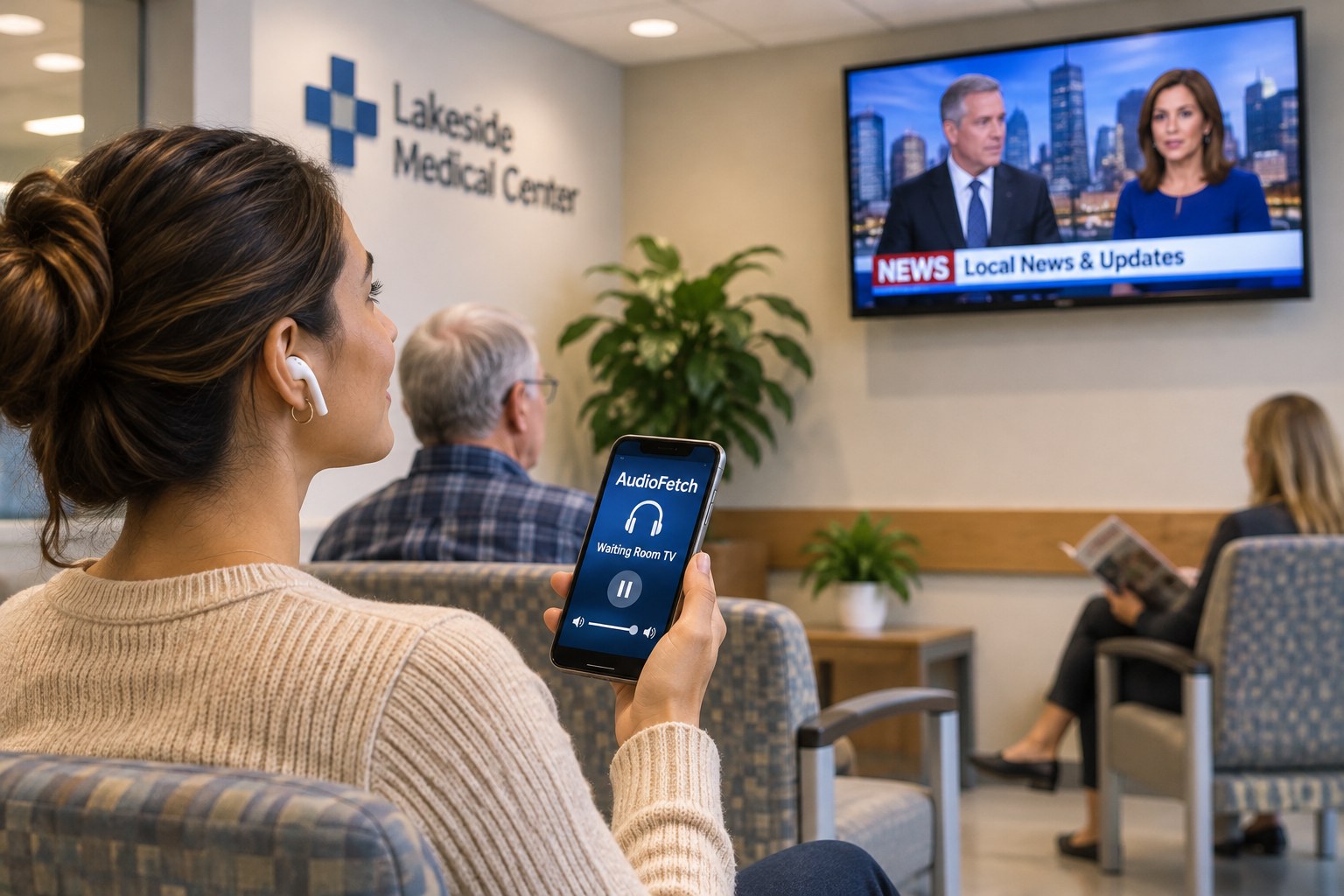
Keep waiting areas quieter while giving visitors the option to hear available television programming through their own smartphones and headphones.
From worship services to sports entertainment and public attractions, give visitors a way to hear the audio that matters to them on their own devices.
Offer personal listening for sermons, services and presentations. Ask us about appropriate assistive-listening configurations and accessibility requirements.
Let guests follow audio from different available games and events while keeping the shared space comfortable.
Make TV audio available to travelers in gates, lounges and other shared waiting areas without increasing ambient noise.
Explore personal audio for lecture halls, campus viewing spaces, presentations and other shared programs.
Support exhibit audio and presentations in compatible installations, with the listening experience tailored to each venue.
Consider personal listening for screenings, community events and other applications where suitable Wi-Fi coverage can be provided.
Give bowlers and recreation center visitors a way to hear available TV programming on their own phones while keeping the venue’s shared audio comfortable.
AudioFetch product selection, Wi-Fi design, accessibility requirements and audio-source compatibility vary by application. Cinemar can help determine the right configuration for your venue.
“Patrons love being able to hear THEIR game regardless of what might be playing on the overhead speakers. We like promoting other night’s events within the AudioFetch app as well.”Randy, General Manager
Sharky's Bar and Grill
“We considered other systems but were blown away by the ease-of-installation-and-use with AudioFetch. My members love it. I love no monthly fees, that it’s easy to use the ad portal, and the excellent customer support.”Carl F., Owner & Operator
Snap Fitness
“I would highly recommend using the AudioFetch app to any businesses looking to pair with a company that puts their customers first and will go above and beyond to assist their clients when needed!”Scott C., Certified Coach & Manager
Anytime Fitness
“We just love our Cinemar Control system and our AudioFetch system! ... The customers can listen to any game that's on any of our televisions from their phone ... They love it!!!”Robert Eidem
Sports Page Bar & Grill · Bloomington, Minnesota
Manufacturer testimonials reproduced with reseller permission from AudioFetch's Signature product page. Testimonials describe individual customer experiences.
From selecting equipment to getting the audio sources online, Cinemar can help plan a practical installation.
Tell us how many TVs or audio sources guests should be able to hear.
We'll review audio connections and the Wi-Fi requirements for your venue.
Connect the equipment and make the audio channels available to your guests. Setup assistance can be discussed with your quote.
Choose the audio feeds you want to make available to your guests, then size the system for your venue.
AudioFetch Signature is offered in 4-, 8-, 12- and 16-channel configurations. Multiple units can support larger installations; the manufacturer describes systems scalable to 512 inputs.
AudioFetch systems have supported analog, optical and digital coaxial audio inputs. This gives installers options for connecting TVs, receivers and other compatible audio sources.
AudioFetch is designed to keep the audio closely synchronized with the picture. Actual delay can vary with Wi-Fi conditions, device performance and the number of listeners.
AudioFetch Signature lists 250 simultaneous listeners as standard, with expansion options up to 10,000. Actual performance depends on equipment and network capacity.
AudioFetch Signature specifications are published by the manufacturer. Capacity, Wi-Fi performance, installation requirements and available features depend on the selected model and configuration.
AudioFetch gives your business another opportunity to connect with customers through the app. Display venue announcements, food and beverage specials, promotions, and links to additional information while guests enjoy their favorite TV audio.
For example, a customer listening to the game could also discover your daily food or drink specials—all from their phone.
Helpful answers when planning personal TV audio for your venue.
No. AudioFetch Signature streams audio over your facility's local Wi-Fi network, so an active internet connection is not required for normal listening. Internet access is normally needed to download the app, receive automatic firmware updates, and use certain cloud-based features such as advertising management and online reporting. Your Wi-Fi network must allow smartphones to communicate with the AudioFetch hardware.
Yes. Guests select from the available audio channels in the AudioFetch app. The number of simultaneous channels and listeners depends on the equipment and network configuration.
AudioFetch is designed for low-latency playback. Real-world synchronization depends on the source, smartphone and Wi-Fi environment, so we don't promise an exact delay for every venue.
Customers listen on their own compatible smartphones or tablets using headphones or another appropriate personal audio output. They use the AudioFetch app to select a channel.
Yes. AudioFetch can be a standalone addition to an existing AV setup. It can also be planned alongside Cinemar's DirecTV Control or AV Matrix solutions.
Potentially, depending on the exact equipment, software and integration requirements. We will specify any supported touchscreen functions in your system proposal rather than assume they are available in every installation.
Personal listening can be useful in churches, meeting spaces and other settings. Whether a particular installation meets applicable assistive-listening or accessibility requirements must be evaluated separately.
Review Cinemar's original AudioFetch product literature for background on channel configurations, connection options and network considerations. These are historical documents; current specifications should be confirmed before purchase.
Whether you operate a sports bar, fitness center, waiting room, house of worship, sportsbook or other public venue, Cinemar can help design an AudioFetch system around your screens, Wi-Fi network and visitors.
Request an AudioFetch Quote →Standalone or Cinemar-integrated solutions available. Equipment features and app options are subject to confirmation.