CinemarAs Seen on Bar Rescue
DirecTV Control

Change DirecTV Channels Without the Remote-Control Runaround.

A cost-effective, centralized touchscreen control solution for venues that already have DirecTV receivers connected to their TVs.

Request a Quote →
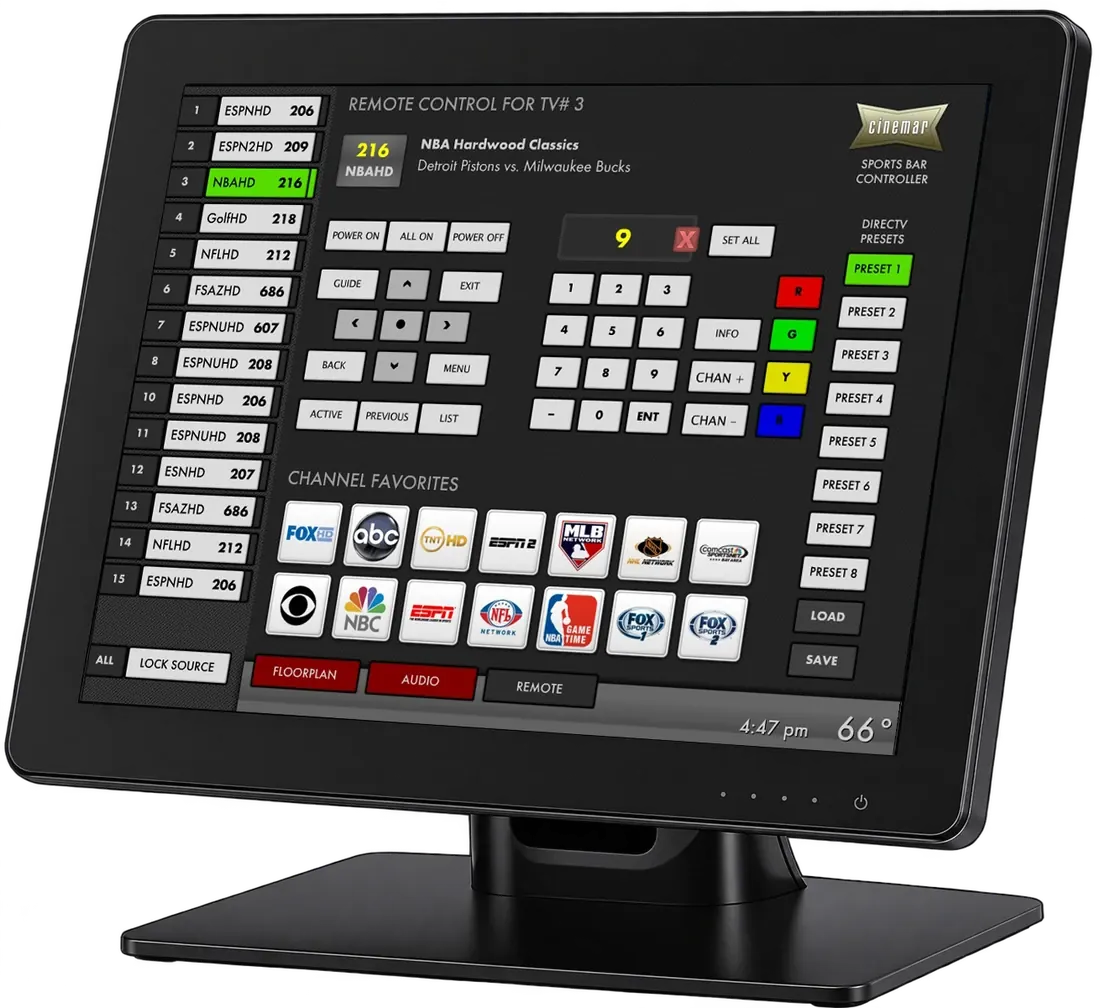
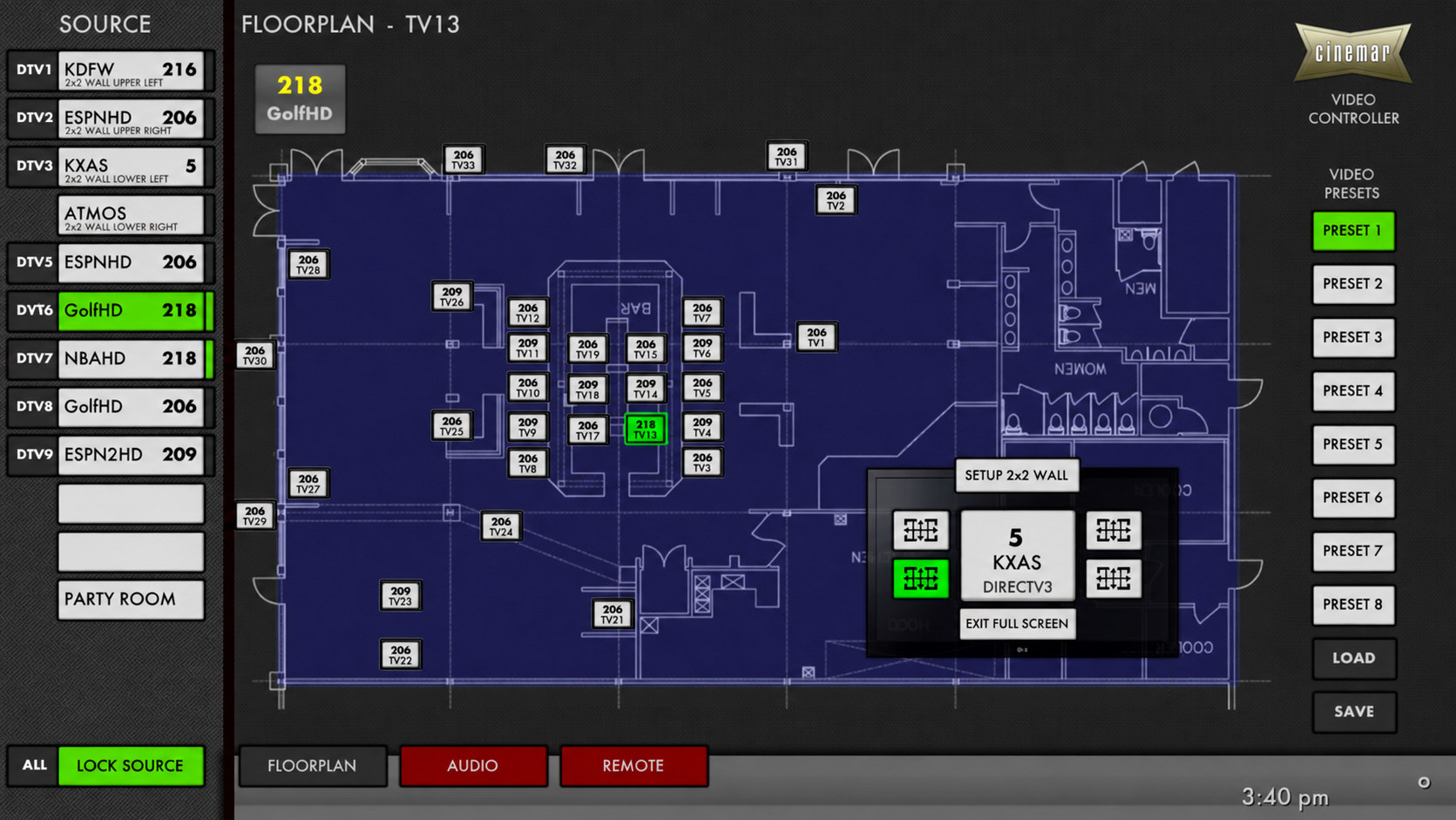
Cinemar touchscreen displaying the venue floor plan and AV source controls

Keep Your Existing DirecTV Setup

Where your receivers live matters less than whether they’re already connected.

Receivers behind TVs

Individual TV locations

If each TV already has a DirecTV receiver connected behind it, Cinemar can control those receivers over IP without installing a new video distribution system or running additional network cables. By utilizing your venue's existing coaxial cabling for network communication, Cinemar makes installation simpler and more cost-effective.

Request a Quote →
Receivers in a rack

Existing centralized equipment

If your DirecTV receivers are centrally located in an equipment rack and already connected to their respective TVs, Cinemar can add centralized IP control without changing your existing video distribution setup. Unlike traditional IR remotes, which can unintentionally change channels on multiple receivers at once, Cinemar allows you to select and control each DirecTV receiver independently, eliminating unwanted channel changes.

Request a Quote →

When is additional video distribution needed? Only when your current setup does not already deliver the receiver outputs to the intended TVs. We can help determine what is needed.

Channel Changing Comes First

Simple, familiar control for staff.

Find the TV. Choose the channel.

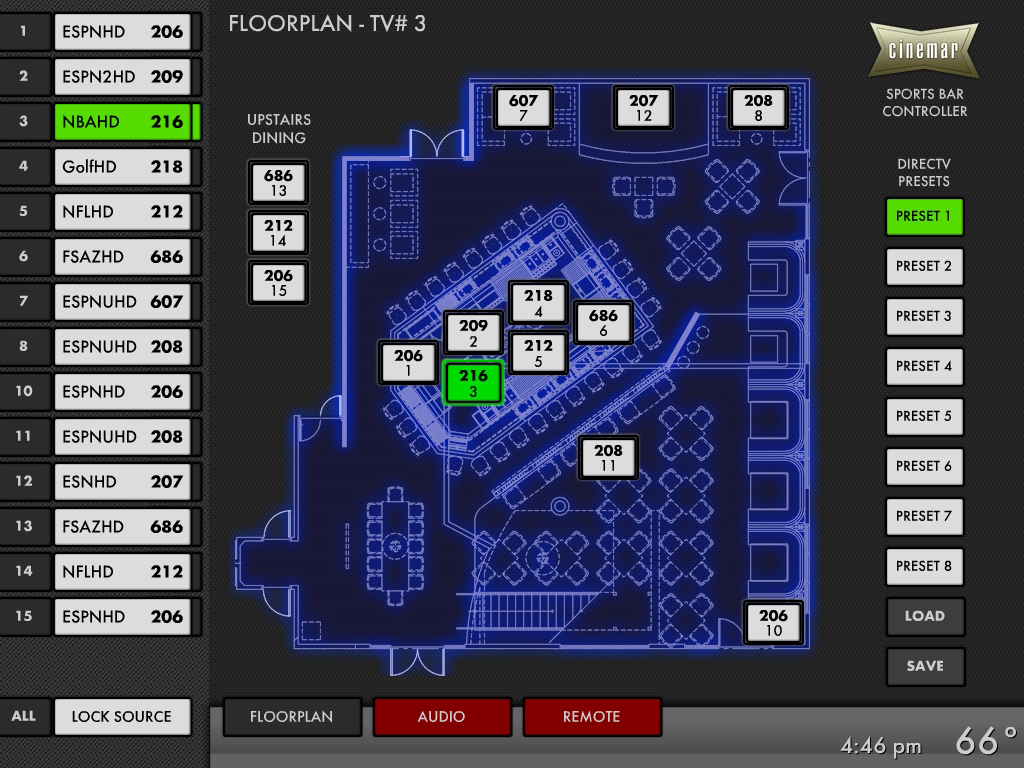
Use one Cinemar touchscreen to select a DirecTV receiver and change its channel. Your package includes integration of your actual venue floor plan with TV controls at their corresponding locations when you provide the imagery, typically as a PDF.

  • Centralized DirecTV channel changing over IP
  • Custom-Integrated Venue Floor Plan — See your venue’s actual floor plan on the touchscreen, with TV locations clearly displayed and the current channel of every DirecTV receiver visible at a glance. Simply select a TV and use the Remote Control tab to change channels.
  • Touchscreen and Cinemar Controller included
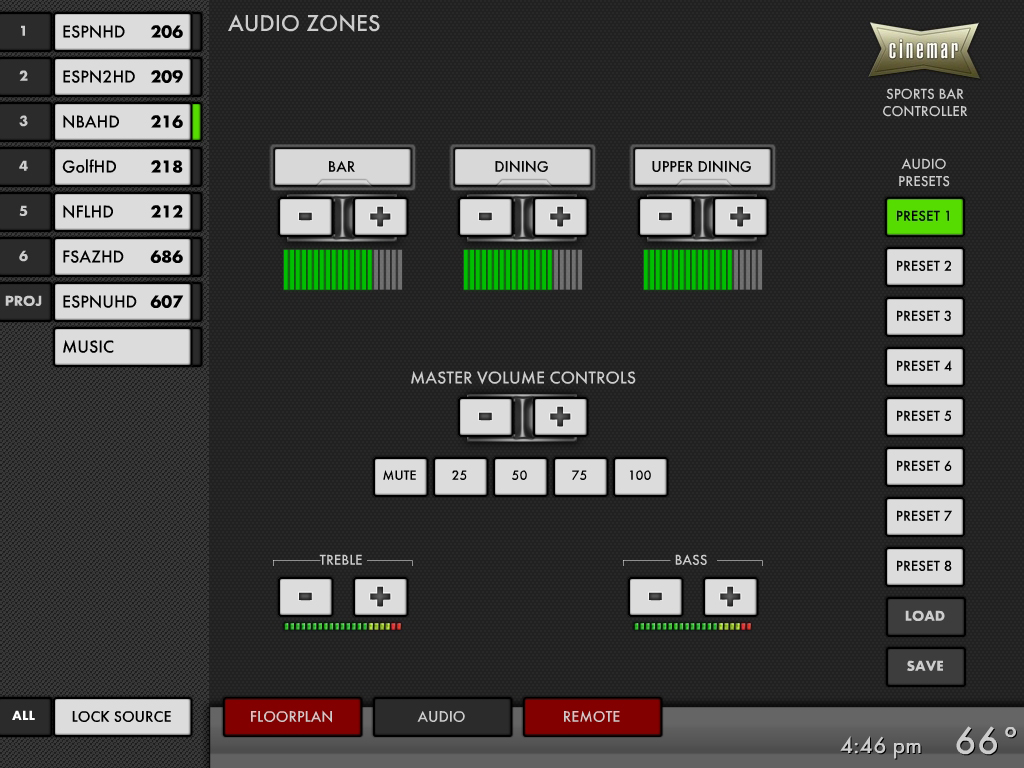
  • Audio source switching and independent zoned volume control available as needed

Check out more features below.

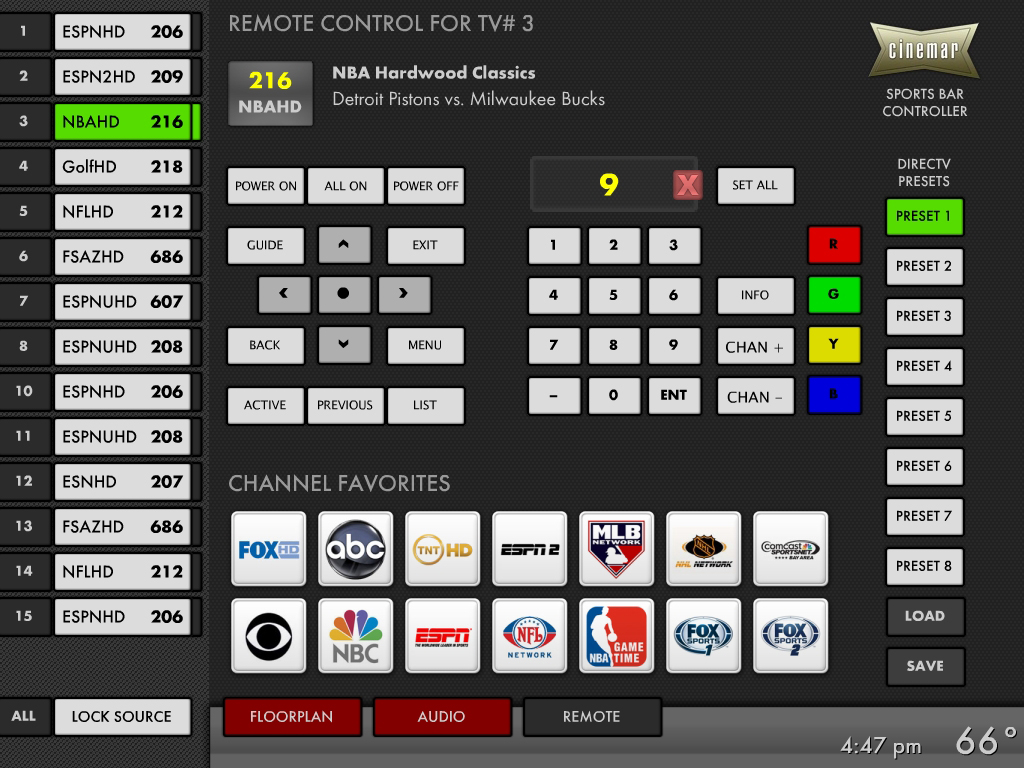
Cinemar touchscreen remote control with channel favorites and DirecTV presets
Designed for busy staff

Less Time with Remotes. More Time with Guests.

If only one employee knows how to change the channels, your TV control system is too complicated. Cinemar makes everyday DirecTV channel changes easier with visual, centralized controls.

Set All

Change every DirecTV receiver to the same channel with one click.

Favorite Channel Icons

Jump to frequently watched DirecTV channels with a single touch.

DirecTV Presets

Store the channel assigned to each DirecTV receiver and recall all those assignments with one click. Have game day channels pre-configured for your staff exactly the way you want it.

Lock Source

Activate Lock Source, then tap TVs on the venue floor plan. Each selected TV changes to the channel on the currently selected DirecTV receiver.

Shared DirecTV Channel

See which TVs are tuned to the same DirecTV channel. When you select a TV on the floor plan, every other TV showing that channel is highlighted with a green halo for easy identification.

Reserve TV

Show staff a visual indicator on the floor plan when a guest may be watching a TV. It is a reminder to avoid changes, not a channel-change lock.

Simple, same-day setup: You or a local installer can connect the pre-programmed equipment, with Cinemar phone and remote support available. In a typical installation, you can be up and running the same day.

Flexible control options

Control On the Go

Your venue’s TV controls aren’t limited to the main touchscreen.

With a compatible third-party app, you can also access your Cinemar control system from an iPad or mobile phone in the venue or on the road. Give authorized staff another convenient way to manage DirecTV channels and TV selections without returning to the main touchscreen.

Mobile and tablet access requires a third-party app and appropriate system configuration.

Cinemar DirecTV touchscreen controls shown inside a tablet
Actual Cinemar video controller floorplan interface displayed on a landscape smartphone

Pre-Programmed and Ready to Connect

Cinemar prepares the control system before shipment.

Tell us your setup

Share how many TVs and DirecTV receivers you have and where they’re located.

We configure your system

We prepare the controller, touchscreen and wiring diagrams for your venue.

Install and operate

You or a local installer connect the equipment, with Cinemar remote and phone support available.

Using Cable Boxes Instead?

Cinemar also supports cable receiver control configurations. Cable boxes may need IR control hardware, while DirecTV receivers use IP control. Tell us about your existing equipment so we can recommend the right configuration.